DNS & DNS Rewrite
The router handles DNS in two distinct roles: forwarding upstream DNS server addresses to DHCP clients, and acting as a DNS proxy that intercepts and optionally rewrites DNS responses for those clients.
When the router is configured as a DNS proxy, it sits between clients and the upstream resolver. This enables DNS Rewrite — the ability to intercept a client's DNS query for a specific domain and return a configured IP address instead of forwarding the query upstream. This allows you to redirect domains to internal servers, block unwanted domains, or control DNS resolution per-site without changing anything on the clients.
Two common use cases:
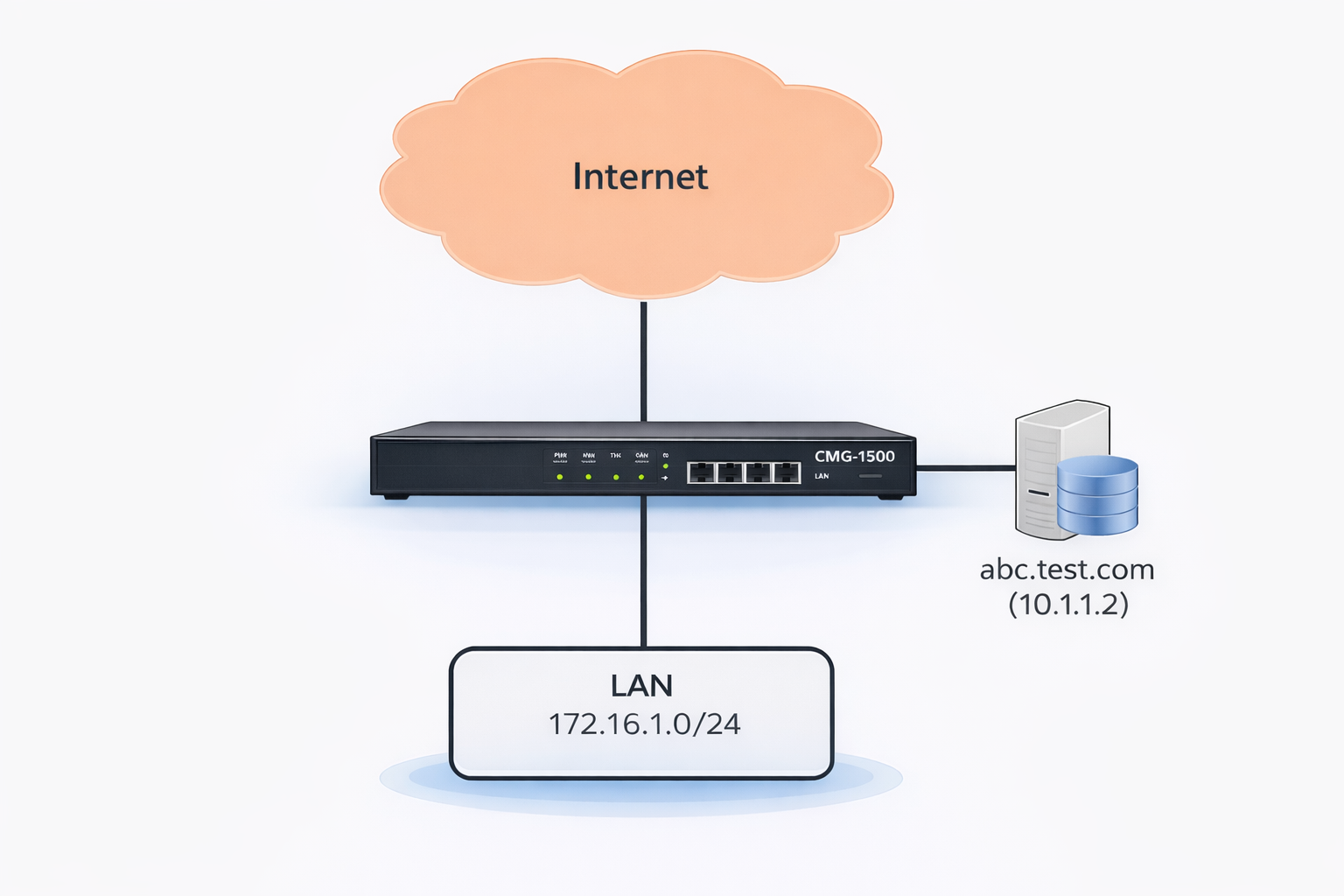
- Split DNS for DMZ servers — A public server (e.g.
abc.test.com) resolves to a public IP for external users, but internal LAN clients should reach it via its private LAN IP to avoid hairpin NAT. DNS Rewrite returns the private IP only to internal clients while external DNS remains unchanged. - DNS-based content filtering — Redirect or block specific domains across all clients on the network without installing software on each device.
DNS Server Configuration
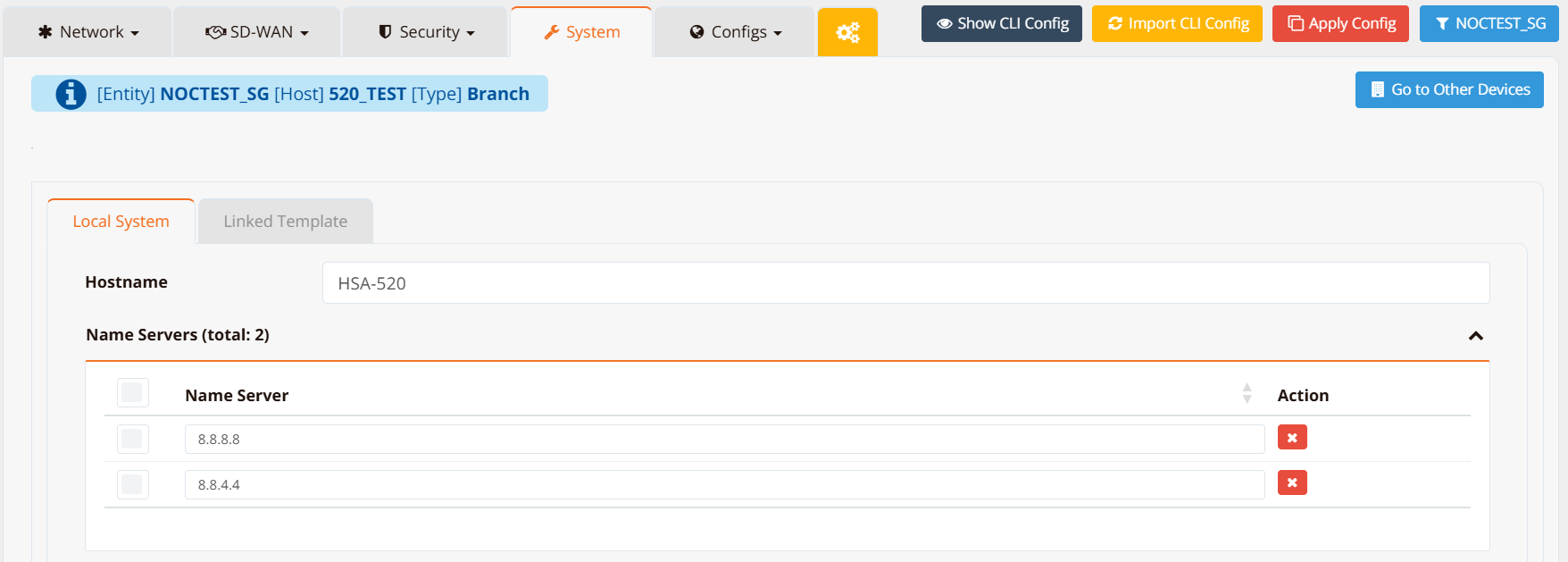
The upstream DNS servers the router uses for its own resolution and forwards to DHCP clients are configured under Device Settings → System.
CLI Configuration

DNS Rewrite
DNS Rewrite intercepts DNS queries from clients and returns a configured response instead of forwarding to the upstream resolver. The interception is handled by the router's local DNS proxy; clients receive the overridden answer transparently.
Note
For DNS Rewrite to work, the router must intercept client DNS queries. There are two ways to achieve this:
- DHCP assignment — assign the router's LAN IP as the DNS server via DHCP so clients send queries directly to the router.
- Transparent DNS redirect — add a DNAT rule to redirect all port 53 traffic to the router itself, intercepting queries even from clients that have a manually configured DNS server or a hardcoded resolver IP.
firewall-dnat and firewall-input must be used together
A firewall-dnat redirect rule alone is not sufficient. After the DNAT rule redirects port 53 traffic to the router, the redirected packet arrives as an inbound packet destined for the router itself. Without a matching firewall-input permit rule, the router's firewall drops it.
Both rules are always required:
firewall-dnat 10 redirect inbound eth1 udp dport 53
firewall-input 10 permit inbound eth1 udp dport 53
Replace eth1 with the LAN-facing interface. Use the same rule ID for clarity — they are independent rules evaluated by their own chains, so matching IDs do not conflict.
The ip host command supports four modes:
| Mode | CLI Keyword | Behaviour |
|---|---|---|
| Override | ip host <fqdn> <ip> rewrite |
Return the configured IP for all client queries for this domain. |
| Block | ip host <fqdn> reject |
Return 0.0.0.0 for queries for this domain — effectively blocking access. |
| Router-local host | ip host <fqdn> <ip> |
Add a static entry to the router's own setting. Affects only the router's own resolution — not client DNS queries. |
GUI Configuration
Navigate to Device Settings → System, scroll to the Static FQDN-IP Mapping section.
Click + Add to open the mapping form.

Enter the domain name and the IP address to return. The mapping takes effect immediately and applies to all clients using this router as their DNS server.
CLI Configuration
Override — redirect a domain to a specific IP
All client DNS queries for abc.test.com will receive 10.1.1.2 regardless of what the upstream DNS would return.
Block — prevent access to a domain
Queries for ads.tracker.com return 0.0.0.0. Clients attempting to connect to this domain will get no valid address.
Complete Example — Split DNS for a DMZ Server
Scenario: abc.test.com has a public IP 202.127.9.2 on the WAN. Internal clients should reach the same server at its private IP 10.1.1.2 to avoid hairpin NAT. External users continue to resolve the public IP normally.
ip name-server 8.8.8.8 8.8.4.4
ip host abc.test.com 10.1.1.2 rewrite
firewall-dnat 10 redirect inbound eth1 udp dport 53
firewall-dnat 20 translate inbound eth0 dst 202.127.9.2 xdst 10.1.1.2
!
firewall-input 10 permit inbound eth1 udp dport 53
Key points:
ip name-server— upstream resolvers for all other domainsip host abc.test.com 10.1.1.2 rewrite— internal clients queryingabc.test.comreceive10.1.1.2firewall-dnat 10 redirect inbound eth1 udp dport 53— transparently intercepts all DNS queries on the LAN interface, redirecting them to the router's DNS proxy regardless of what DNS server clients have configuredfirewall-input 10 permit inbound eth1 udp dport 53— required alongside the DNAT rule; after redirection the packet arrives inbound to the router itself and must be explicitly permittedfirewall-dnat 20 translate ... xdst 10.1.1.2— inbound traffic from the WAN to the public IP is still translated to the internal server for external users
External users continue to resolve abc.test.com to 202.127.9.2 via public DNS — the rewrite only affects clients whose queries pass through this router.
Tracked DNS Entry
A DNS entry can be made conditional on the reachability of a target host. When the tracked host is alive, the configured IP is returned; when it fails, the entry is either removed or switched to a backup IP. This is useful for routing clients to an active server when multiple instances exist.
ip host service.example.com 192.168.1.10 rewrite track icmp 192.168.1.10 15 max 200 20 backup 192.168.1.20
Key points:
rewrite— the domain override is active while the tracked host is alivetrack icmp 192.168.1.10 15— probe192.168.1.10with ICMP every15secondsmax 200 20— probe fails if RTT exceeds200 msor packet loss exceeds20%backup 192.168.1.20— when the probe fails, switch the DNS entry to return192.168.1.20instead of removing it entirely; omitbackupto remove the entry on failure
TCP-based tracking is also supported:
track tcp 192.168.1.10 443 15— probe TCP port443on192.168.1.10every15seconds
Route-based tracking checks for the presence of a local route instead of probing a remote host — for example, only serving the primary IP while a VRRP-managed VIP route is held by this router:
track route 10.10.10.1/32 15— checks whether10.10.10.1/32is present in the local routing table every15seconds
Note
Serving the primary IP again is immediate as soon as tracking passes. Switching to the backup IP (or removing the entry) requires two consecutive failed cycles. See Tracking — Common Options for the full set of shared options (Source IP, Log, etc.) and this behavior in detail.
Verification
Test DNS resolution from the router:
Test from a client (the response should reflect the configured override):