NetFlow Collector
Note
This feature requires the appliance to be licensed as mfusion, which includes local storage for collecting, storing, and analysing NetFlow data. See Device Monitoring → NetFlow for the analysis dashboard.
The mfusion appliance can act as a NetFlow collector, receiving flow exports from remote routers and presenting them through the NetFlow analyser GUI. A single collector can receive NetFlow from multiple remote routers simultaneously, with each router's data isolated into a separate tenant (entity) for independent analysis.
Planning
Before configuring the collector, map out your tenants and port assignments:
- Each entity in mfusion corresponds to one data tenant — NetFlow data from different customers or sites is stored separately per entity.
- Each entity is assigned a dedicated UDP port. All routers belonging to that entity export NetFlow to the collector on that port, so their data lands in the correct tenant folder.
- Ensure the collector's designated ports are reachable from the remote routers — either directly over the internet or via VPN tunnels.
See Provisioning → Create Customer Entity for how to set up entities, and NetFlow Export for how to configure routers to export.
GUI Configuration
Option 1 — Configure directly on the appliance GUI
Navigate to Device Settings → NetFlow Collector.
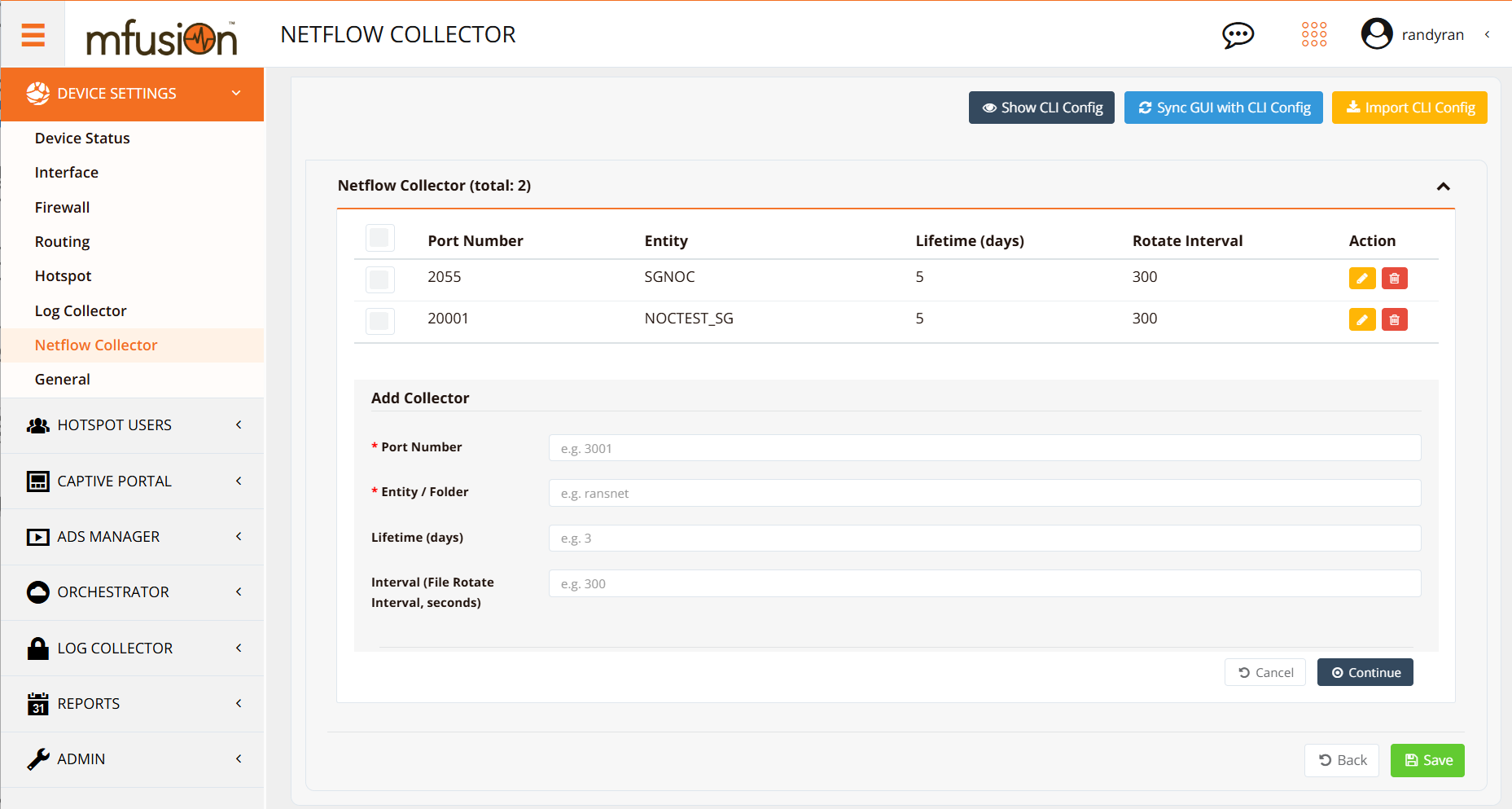
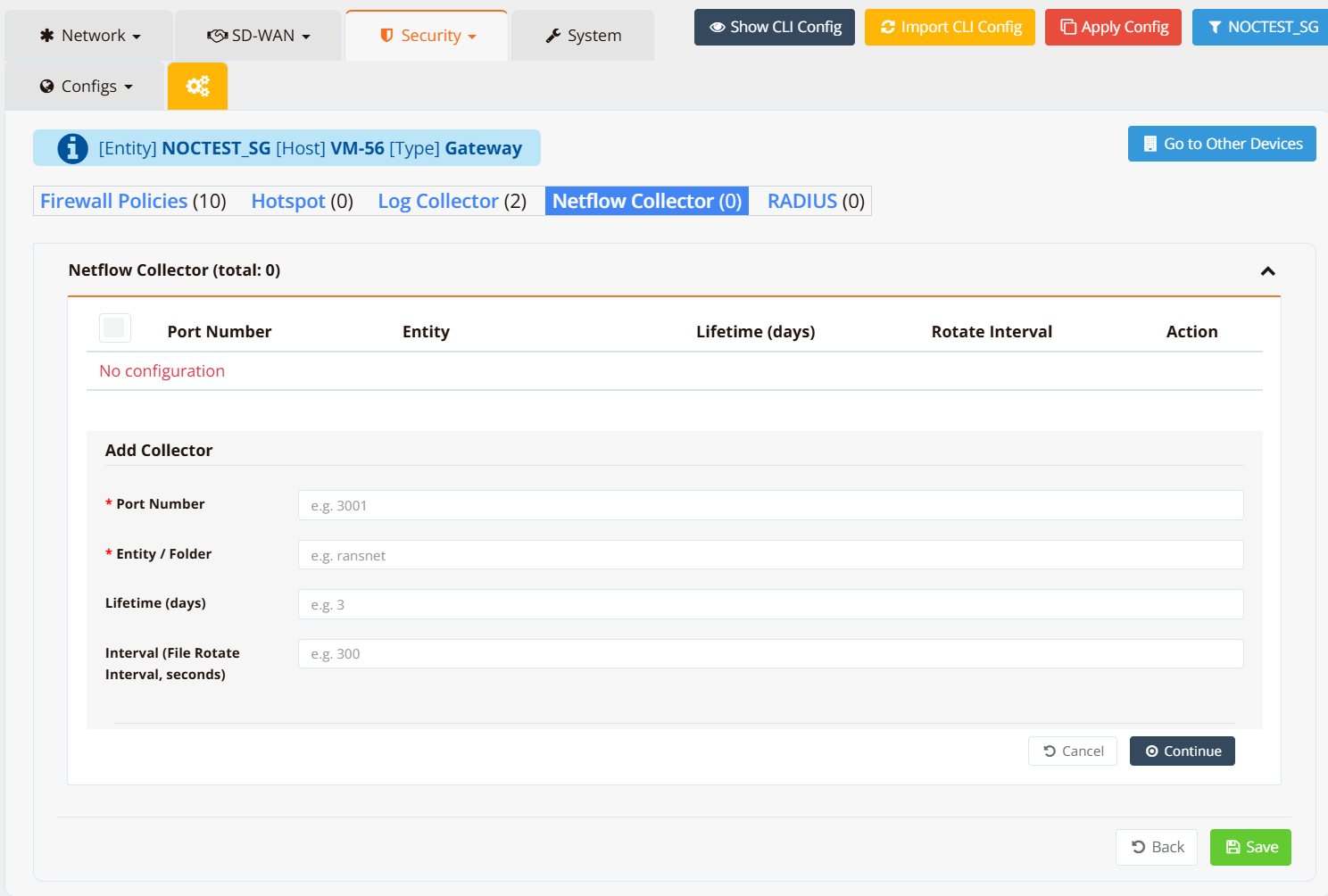
Option 2 — Configure via the orchestrator (if managed by another mfusion)
Navigate to ORCHESTRATOR → Device Settings → Security → NetFlow Collector.
Parameters
| Parameter | Description |
|---|---|
| Port | UDP port the collector listens on for incoming NetFlow exports from remote routers. Each entity should use a unique port. |
| Data (Entity) | The entity name this port's data is stored under. Must match the entity name exactly as defined during provisioning. |
| Life (days) | How long NetFlow data is retained before being purged. NetFlow data can consume significant storage — keep this as short as your analysis requirements allow. |
| Interval (seconds) | How frequently the collector rotates the active capture file. A shorter interval (e.g. 60) gives more near-real-time visibility in the dashboard; a longer interval (e.g. 300) produces fewer files. |
Warning
The Data (entity name) value must match the entity name defined during provisioning exactly — including capitalisation. A mismatch will cause the data to be stored in the wrong location or dropped.
CLI Configuration
Example — two entities on separate ports:
nf-collector port 20001 data NOCTEST_SG life 5 interval 300
nf-collector port 2055 data SGNOC life 5 interval 300
This configures the collector to:
- Listen on port
20001for routers belonging to entityNOCTEST_SG, retaining 5 days of data with 5-minute file rotation - Listen on port
2055for routers belonging to entitySGNOC, with the same retention and rotation settings
Verification
Run a tcpdump on the interface facing the remote routers to capture incoming NetFlow packets, filtering on the collector port:
Expected output shows UDP packets arriving from the remote router's IP at the collector port:
10:15:32.451293 IP 192.168.10.1.49155 > 10.65.30.2.2055: UDP, length 984
10:15:37.882104 IP 192.168.10.1.49155 > 10.65.30.2.2055: UDP, length 456
10:15:42.119867 IP 192.168.10.1.49155 > 10.65.30.2.2055: UDP, length 1416
If no packets arrive, check:
- The remote router has
ip flow-exportconfigured pointing to this collector's IP and port - The port is not blocked by a firewall rule on the collector or upstream
- The remote router has a route to reach the collector (directly or via VPN)